


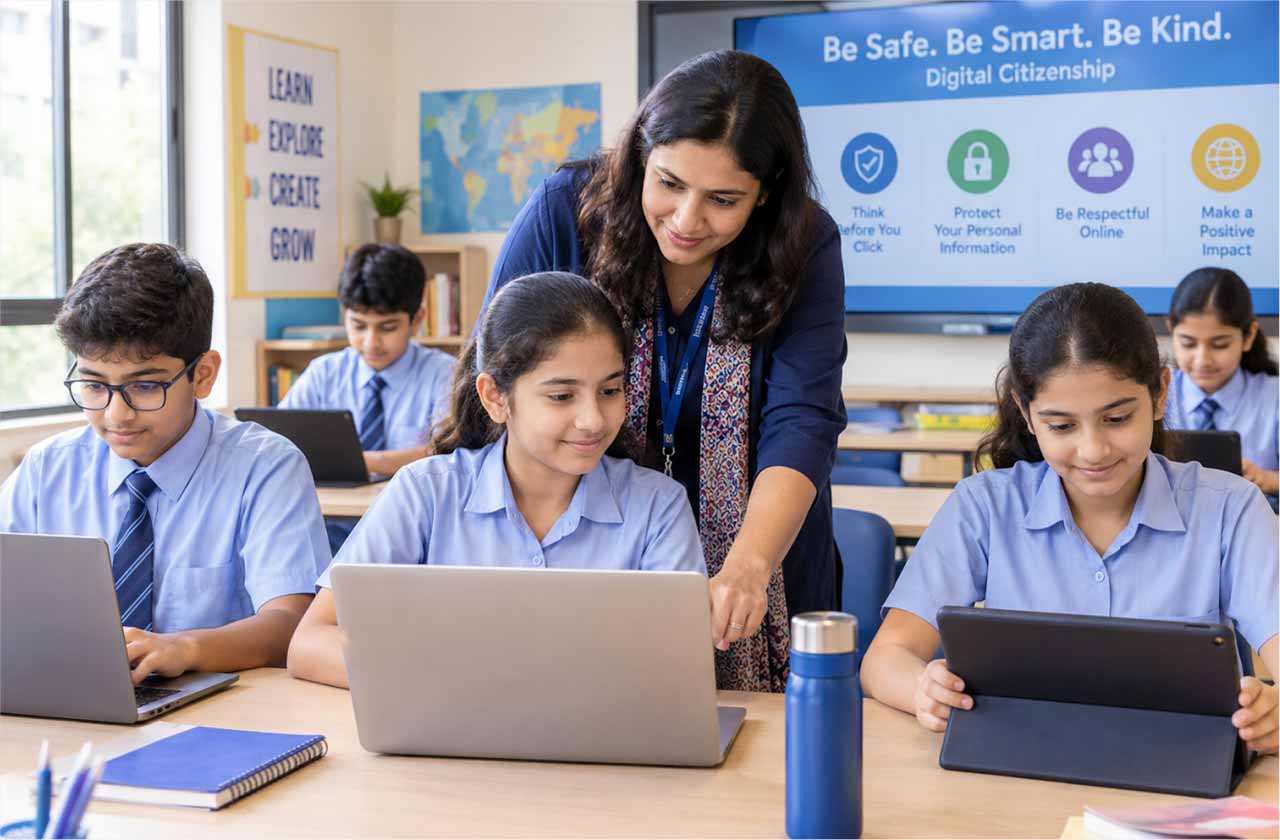
Digital tools are now part of student life. Students use them for research, projects, videos, quizzes, presentations, online learning, creative work and communication. These tools can make learning richer and more engaging. But digital tools also need guidance. A student may know how to use a phone, laptop, search engine, app, or AI tool. That does not always mean the student knows how to use it responsibly. This is why CBSE schools in Dhule should teach students not only digital skills, but also digital judgement.
Responsible use of digital tools means using technology safely, honestly, respectfully, and thoughtfully. It means knowing when to use a tool, when to pause, when to check information, and when to ask for help.
Why responsible use of digital tools matters today?
Technology is no longer limited to computer classes. It appears in almost every subject and activity. Students may use digital tools to understand science concepts, prepare presentations, read articles, watch educational videos, practise maths, create designs or explore career information. This is useful. It can help students learn at their own pace. It can make difficult topics easier to understand. It can also build creativity, confidence, and curiosity.
However, students need to understand that the internet is not always safe, accurate or kind. A tool that helps learning can also distract. A search result can mislead. A forwarded message can be false. An AI answer can be wrong. A group chat can become hurtful. A careless post can affect a student’s digital footprint.
So, schools need to help students use technology with awareness.
What CBSE and Indian education guidance says?
CBSE has recognised cyber safety as an important area for students. Its Cyber Safety Manual is designed to build awareness among secondary and senior secondary students about digital citizenship, online risks, responsible technology use, and safe online behaviour.
PRAGYATA Guidelines for Digital Education also speak about cyber safety and privacy. They recommend that students, teachers, and parents should be oriented on the dos and don’ts of cyber safety. They also mention cyberbullying awareness, safe online environments, and regular conversations with students about responsible internet use and netiquette.
These references show that responsible digital use is not an extra topic. It is part of modern student safety and learning.
What international guidance says?
International organisations also highlight online safety as an important student concern. UNICEF notes that digital learning brings opportunities, but it can also introduce risks. These include cyberbullying, peer-to-peer online violence, hate speech, and harmful content. UNICEF also supports education systems in teaching digital literacy and online-safety skills.
UNESCO’s Global Education Monitoring Report also notes that education systems need to prepare students for digital technology. It mentions risks such as distraction, lack of human contact, invasion of privacy, and hatred when technology is not regulated or used wisely.
Digital learning should be balanced. Students should learn how to benefit from technology without becoming careless or unsafe.
Benefits students can get from digital tools
Digital tools can support learning in many ways when used properly. They can help students:
- Find information quickly
- Watch explanations of difficult topics
- Practise through quizzes and worksheets
- Create presentations and visual projects
- Learn coding, design, and digital creativity
- Collaborate with classmates
- Improve research skills
- Access learning resources beyond textbooks
- Explore careers and new skills
- Build confidence in self-learning
Digital tools can also make learning more practical. For example, a student can watch a science experiment, explore maps, use simulations, create charts, or prepare a project using visuals and data. The problem is not technology. The problem is unguided use.
Risks students face while using digital tools
Students may face many risks online. Some are technical. Some are emotional. Some are linked to learning habits. Common risks include:
| Risk | What it can look like |
|---|---|
| Unsafe links | Clicking fake offers, unknown links, or harmful downloads |
| Privacy loss | Sharing phone numbers, photos, school details, or passwords |
| Cyberbullying | Hurtful comments, mocking, exclusion, or group chat insults |
| Misinformation | Believing or forwarding false content |
| Online strangers | Accepting unknown requests or sharing details with unknown people |
| Copying content | Using online answers without understanding |
| AI misuse | Blindly copying AI-generated answers |
| Digital distraction | Losing study time to games, reels, or repeated notifications |
| Digital footprint risk | Posting something that can be saved or forwarded later |
Students should not be made afraid of digital tools. They should be taught how to recognise risk.
How students can spot digital red flags?
Students need simple ways to identify online risks. Schools can teach them to pause when they notice warning signs.
A digital red flag may include:
- A message asking for a password
- A link from an unknown sender
- A stranger asking for personal details
- A group chat where someone is being mocked
- A post that asks students to forward quickly
- An offer that looks too good to be true
- A website with strange spelling or unclear source
- A request to share photos secretly
- An AI answer that sounds confident but has no source
- Content that makes the student feel scared or uncomfortable
Students can be taught one simple rule: “Pause, Check, and Ask” -
- Pause: Pause before clicking or replying.
- Check: Check whether the source is reliable.
- Ask: Ask a trusted adult when unsure.
How schools in Dhule can approach this?
CBSE schools in Dhule can teach responsible digital use through regular guidance. It should not be limited to one cyber safety session. Schools can include digital responsibility in classroom discussions, computer classes, assemblies, counselling sessions, project work, and parent interactions. Teachers can use simple examples. They can discuss unsafe links, group chat behaviour, copying from the internet, AI misuse, privacy settings, online kindness, and digital footprints. Schools can also create clear rules for digital learning. Students should know what is acceptable during online research, computer lab work, project preparation, and digital communication. The aim should be practical. Students should know what to do, not only what to avoid.
How teachers can guide students?
Teachers play a key role because students often learn digital habits through daily classroom expectations.
| Teacher Guidance Strategy | Classroom Application |
|---|---|
| Explain how to search responsibly | Model safe and effective search queries during research tasks. |
| Show how to compare sources | Cross-reference multiple websites to evaluate reliability and bias. |
| Discuss plagiarism and originality | Teach proper referencing and the importance of creating original work. |
| Guide students on AI tool use | Establish clear boundaries for using AI ethically as a learning assistant. |
| Correct careless digital habits early | Address poor online etiquette or hasty sharing promptly and constructively. |
| Encourage respectful online language | Promote empathy, kindness, and professional tone in class forums and chats. |
| Discuss cyberbullying calmly | Hold open, supportive conversations on identifying and preventing bullying. |
| Help students report concerns without fear | Create confidential reporting channels so pupils feel safe seeking help. |
| Remind students that privacy matters | Educate learners on safeguarding personal details and credentials online. |
| Give feedback on digital projects | Provide structured formative feedback on multimedia assignments and presentations. |
Teachers should also avoid fear-based messaging. If students are only scolded, they may hide mistakes. If they are guided calmly, they are more likely to ask for help.
How parents and teachers can work together?
Responsible digital use cannot be taught by schools alone. Students use devices at home too. This is why parents and teachers need to stay connected. Parents can ask students:
- What digital tools did you use today?
- Did you check the source of the information?
- Did anything online make you uncomfortable?
- Are you using AI to learn or only to copy?
- Do you know what not to share online?
- Are your group chats respectful?
- Are you balancing screen time and study time?
Teachers can keep parents informed about digital learning expectations. They can also share guidance on safe browsing, project originality, screen balance, and online behaviour. When school and home give the same message, students understand digital responsibility better.
Why early learning matters?
Students should learn responsible use of digital tools early because digital habits form quickly. If students learn safety only after a problem happens, the situation may already become stressful. Early learning helps students become careful without becoming fearful. It teaches them that technology is useful, but it must be used with judgement. It also helps them prepare for higher education and future careers, where digital tools, online communication, research, AI, and collaboration will become even more common.
A student who learns digital responsibility early is better prepared to use technology for learning, creativity, communication, and problem-solving.
At Podar International School in Dhule, the focus is on helping students use digital tools with awareness, responsibility and confidence. Students are encouraged to explore technology for learning, research, creativity and skill development. At the same time, they are guided to understand online safety, privacy, respectful communication, source-checking, academic honesty, and responsible digital behaviour.
Teachers support students through classroom guidance, digital learning activities, discussions, feedback and regular communication with parents. The aim is not to create fear around technology. The aim is to help students become thoughtful, careful and confident digital learners.
To know more about Podar International School in Dhule and the admission process, please get in touch with the team.
Email Address: admissions@podar.org
Telephone No: 6366437837

